
Learning to construct your own programming language (aka language hacking) can be a dangerous thing. Once you get a hang of it, an answer to most of your problems will be: “I should make a language for it”.
My journey in writing compilers started during my third year of faculty when I stumbled upon two books. First book, the more daunting one, is Compilers: Principles, Techniques, and Tools (The Dragon book for short) by Aho, Lam, Sethi and Ullman. It can be summarized as The Bible for compilers as it contains over 1000 pages of compiler fundamentals, different phases of compiler development, runtime environment, etc. Even though it’s an absolute treasure trove of knowledge, I couldn’t make myself read it as a normal book would be read, from start to finish. I look at it more as a reference guide that was really useful when having to clear up some concept that wasn’t so well explained in other places. As most of the people in this space I learn best by doing, rather than reading, but I also hate black boxes so I try to find the balance between theory and practice. The book that hit the spot for me was Crafting Interpreters by Robert Nystrom which takes more practical approach by developing compiler infrastructure for Lox, scripting language designed specifically for this book. First part of the book deals with development of the more primitive, tree-walk interpreter in Java. Second part is a more realistic scenario, developing a virtual machine in C that interprets compiled bytecode.
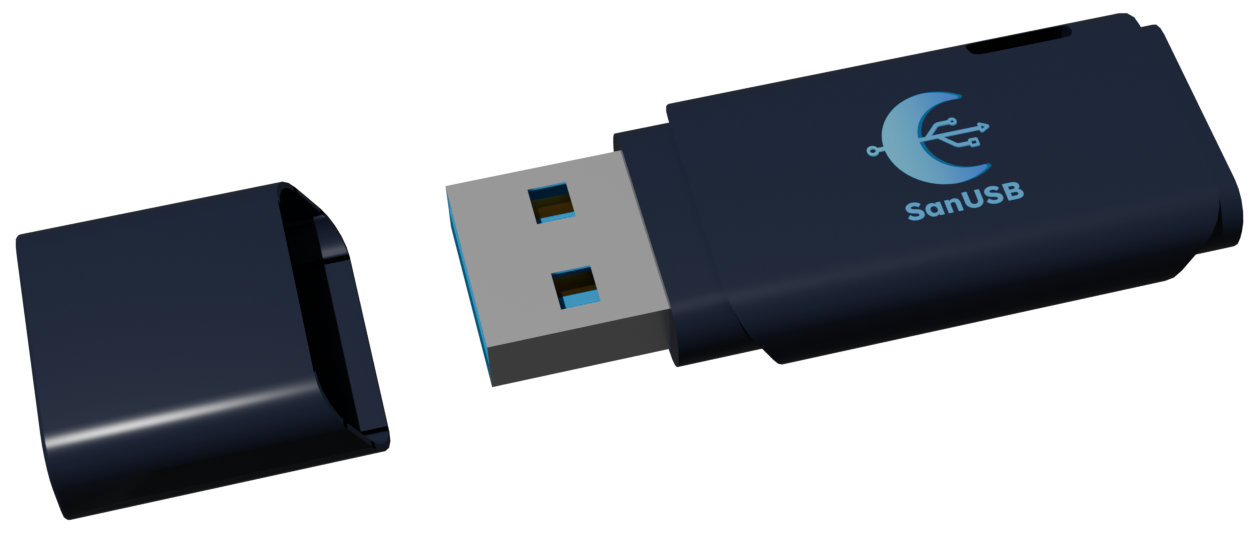
Previous paragraph explained the hows, but not the whys. Why did I even start researching this topic? Well, one of the main reasons is, of course, curiosity, but that alone wouldn’t justify the decision (or maybe it would) to spend months learning and developing compiler and VM for a language that maybe nobody would even hear about, let alone use. This was actually part of a bigger personal project, a keystroke injection platform, now known as SanUSB, which aims to be free and open source alternative to a commercial product Rubber Ducky. For those of you not familiar with the Rubber Ducky and keystroke injection attack, it is basically a device that looks like USB flash storage, but presents itself to the host as the keyboard (or mouse) and allows the security researcher (or malicious user) to program it with payload that will be executed upon insertion into USB port. Rubber Ducky payloads are written in proprietary language DuckyScript, shown in the following code block:
REM Windows Modifier Key Example

REM Open the RUN Dialog
GUI r

REM Close the window
ALT F4
Developing a platform like Rubber Ducky consists of several parts, including:
Current state of the SanUSB will be showcased some other time, while this post mainly explains the first bullet, construction of a language for payload development - SanScript. SanScript is procedural, weakly typed language with specific functions and operators for constructing keystroke injection payloads, making it somewhat of a domain-specific language. Now, let’s start by exploring the features and syntax of the SanScript.
SanScript syntax can be learned in tens of minutes because most of it is similar to languages like JavaScript, C and even Rust.
As any sane person who wants to learn a new programming language would do, you have to start by learning how to write comments. Thankfully, I wasn’t tempted enough to reinvent a wheel and went with the obvious:
// This is the only way to write comments in SanScriptWe can now tick the comments checkbox and move on:
As in most languages, there are several supported data types, including:
true;
false;2010;
20.10;"Nixie tubes are cool"; // as well as flip-dot displaysnil; // this code block was absolutely necessaryThe following four data types are the most important ones and are the building blocks of payloads:
SPACE;
ENTER;
A;LEFT_CLICK;
RIGHT_CLICK;
MIDDLE_CLICK;Look, we are making progress!
When talking about expressions, I’ll be mostly going over the operators, which can be grouped into following categories:
2 + 3 // number addition
2 - 3 // number subtraction
2 * 3 // number multiplication
2 / 3 // number division
-2 // number negation"String " + "concatenation"2 < 3 // less than
2 <= 3 // less than or equal to
2 > 3 // greater than
2 >= 3 // greater than or equal to
2 == 3 // equal to
"Knight" == "Bishop" // checks if two strings have identical value
1 == "1" // equality between different types always returns false!true // negation
true and false // logical and
true or false // logical or(4 + 2) / 3 // expressions inside inner-most parenthesis have the priorityBundled with the most important data types come the most important operators:
CTRL + ALT + DEL         // produces key combination
CTRL + ALT + DEL | ENTER // produces sequence of key combination and key code
As promised before, key combination and key sequence syntax are introduced here. The sequence above, when passed to the proper function, would inject key combination CTRL+ALT+DEL after which it would inject ENTER key.
Before we finish this section, let me mention statements and how they differ from expressions. Expressions are parts of code that produce some value, for example the following code produces value true as a result:
!(5 - 4 > 3 * 2)Statements on the other hand are instructions that our program will execute and in that sense are “self-contained” and don’t produce a value. Every statement in SanScript ends with semicolon:
!(5 - 4 > 3 * 2); // the value false is dismissed since there is no assignmentFor more detailed comparison between expressions and statements, check out this article by Josh Comeau. Now, we are one step closer to fully understanding SanScript (for those of you that came here expecting to learn Sanskrit, sorry to break the news for you, but maybe consider practicing your googling skills):
Quick legal disclaimer before I introduce variable declaration and mutation: Quarks Team or any of its representatives shall not be liable for actions or non-actions taken by “Haskellers” who have read the post and seen the horrors of mutable state or any other form of side effects.
Variable declaration starts with keyword let, followed by the name of the variable:
let my_var;Since SanScript is weakly-typed language, types are inferred upon assignment:
my_var = 3; // my_var is of type number
my_var = "Now it's a string"; // SanScript is dynamically typed language
We can also assign value to a variable when we declare it:
let terminal = CTRL + ALT + T;Functions are defined with the fn keyword, followed by the function name, parameters and the function body:
fn add(a, b) {
	return a + b;
}

let result = add(2, 3); // function call is standard C-like syntax
Another important topic we should cover in this section is the SanScript standard library. Having all the data types and operators for keystroke construction would be useless without appropriate functions for keystroke injection. At the moment of writing, there are total of 13 functions in the standard library, shown in the table below:
| Function definition | Description |
|---|---|
| inject_keys(key_combination) | Takes in key combination as an argument and emulates key press action |
| hold_keys(key_combination) | Takes in key combination as an argument and emulates key hold action |
| release_keys() | Emulates key release action |
| inject_sequence(key_sequence, delay, jitter) | Injects a key sequence with desired delay between each injected combination and jitter that will introduce some randomness into delay for more human like typing |
| string_to_keys(keys_string) | Takes in a string and returns key sequence consisting of keys in a string |
| mouse_move(x, y) | Moves the mouse cursor to the passed x and y coordinates |
| mouse_click(mouse_button) | Takes in mouse button as an argument and emulates mouse click action |
| mouse_hold(mouse_button) | Takes in mouse button as an argument and emulates mouse hold action |
| mouse_release() | Emulates mouse release action |
| sleep(duration) | Suspends the thread for the given duration of time in milliseconds |
| random_int(min, max) | Returns a random integer value in a given range between min and max |
| random_float(min, max) | Returns a random decimal value in a given range between min and max |
With these 13 functions we are able to construct both keystroke injection as well as mouse injection payloads. We’re in the endgame:
SanScript doesn’t deviate much from the usual in this regard, offering the total of 3 control flow mechanisms:
if (condition) {
	// do something
} else if (other_condition) {
	// do something else
} else {
	// some third option
}
while (condition) {
// do something as long as the condition holds
}for (let i = 0; i < 10; i++) {
// do something over the 10 iterations
}And…that’s about it…a bit anticlimactic I guess:
In the next part we will dive into architecture of the language and implementation specifics regarding writing a compiler infrastructure in Rust. Until then, be free to check out the repository for the language and the whole SanUSB project, found on the following link.